

Features
Manage your money smarter. Convert, hold, and send XAF with full control.Convert
Lock In the Best Rate, Use Funds Anytime
Xafpay offers a convenient Convert feature that allows customers to exchange their USD balance into XAF at the advertised rate directly within the app. When the USD/XAF exchange rate is favourable, you can convert your USD and securely hold the funds in your XAF wallet — locking in a strong rate for future use without worrying about currency fluctuations.Send money to family and friends
Wallet-to-Wallet transfer to another Xafpay account holder
Pay for essential services such as school fees or medical bills
Make local payments through the Pay option
With Xafpay, you don't just send money — you manage it smartly.


Exchange Rate1 USD = Loading... XAF
XAF Wallet Secured
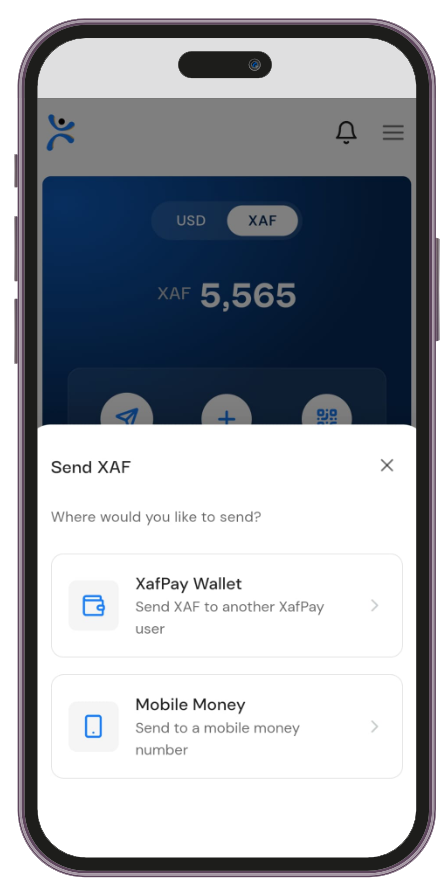
Wallet-to-Wallet
XAF Wallet-to-Wallet Transfers
Send Instantly. No Delays. No Fees.Send money instantly to other XAFPAY users with our Wallet-to-Wallet transfer feature. Users with XAF wallet balances can now send money directly from their wallet to the wallet of another XAFPAY account holder.Log in to your XafPay accountOpen the app and securely sign in to access your dashboard.
Select Wallet-to-Wallet TransferGo to Send Money and choose the Wallet-to-Wallet Transfer option.
Enter the recipient's detailsInput the recipient's XafPay email or phone number.
Input the amountEnter how much you want to send from your XAF wallet.
Review & confirmReview the transaction details and confirm to send.
Instant transferFunds are transferred instantly — ready to use, withdraw, or send onward.


XAFPAY LLC is a Fintech company incorporated in the USA under Montana SOS file No.C1446980-16217942. Registered with FinCEN as a money service business with registration number 31000273428168